
- Login to the POS
- Navigate to Users - Users
- Click the + Create User button
- The Create User widget will open
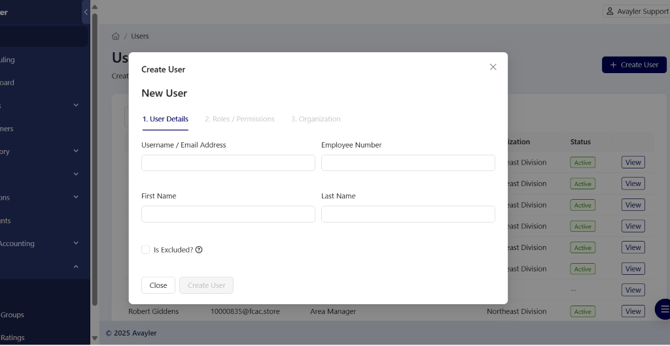
- Enter the details as follows:
- Username: <uid>@fcac.store
- Employee Number: uid
- First Name & Last Name
- Once all details have been filled in click on the 'Create User' button to confirm
- Then navigate back to Home page and go to 'Locations'
- Then pick a location as to where the user will be based
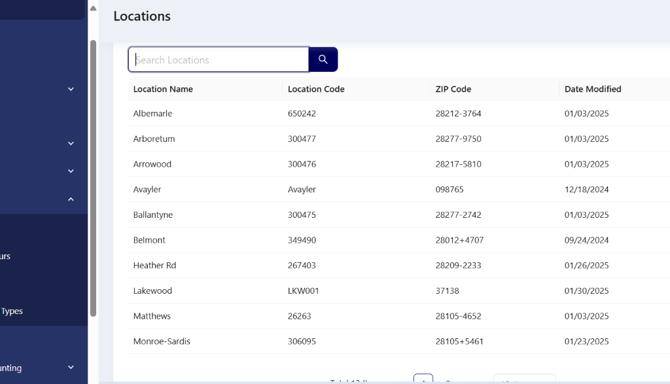
- Once inside Location then navigate to 'Users' tab at the top. You will see a list of users for that site
- Add in the new user and confirm
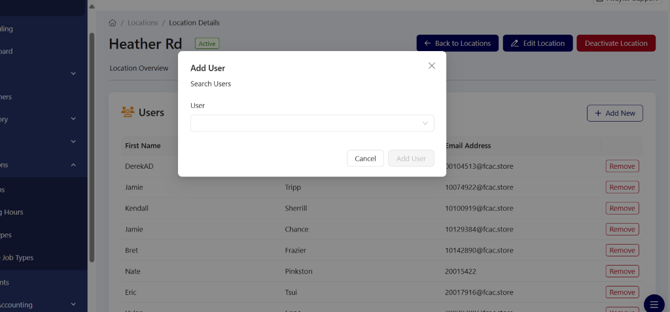
- Click refresh to confirm new user is on the list of users. Once the new user has been added into a location they may use the system
- New user has been added into system
- Once this has been completed, the details should be added to the BSRO Master Config Doc file